
Court Calendars in Utah
Utah Courts publishes its calendars through the Utah Court Calendar. It is a statewide view organized by location. The navigation splits out District Court, Justice Court, specialty-court, and appellate calendars. Older PDF calendars have given way to Full Court Calendars. These can pair a setting with case, attorney, and charge information. The portal works best when you already know the court or location. Remember, though, it is a schedule display only. It cannot stand in for the case file. And a new listing does not prove the court record itself changed.
Utah's trial courts schedule matters on several tiers. Those are District Court, Justice Court, Juvenile Court, and the statewide Business and Chancery Court. Appellate oral arguments may appear on a statewide calendar too. Those are not trial-court hearings. Pick your calendar based on the Utah court named on your notice. When dates conflict, the latest filed notice wins, or confirm directly with the court.
Search Utah's Calendar by Case or Party
Utah's full-calendar search opens more than one route to a scheduled event. You can search by case number, party name, judge, attorney, date, or location. Menu values shift with the calendar type. The public help does not mark every input as required. Lead with the strongest details on your notice. Then narrow by Utah court location if a name or citation might match multiple cases.
The Utah Courts Full Court Calendar search can return the court or location, date and time, case identifier or caption, judge, attorney, charge, and event label. Exact fields depend on which Utah calendar you pull. Some settings carry remote-hearing instructions or a Webex link. Utah Courts does not promise one for every hearing. If a link is missing, reach the court or the judge's team directly.
The Utah Court Calendar landing page collects these searches in one place. It does not list any individual hearing or case.
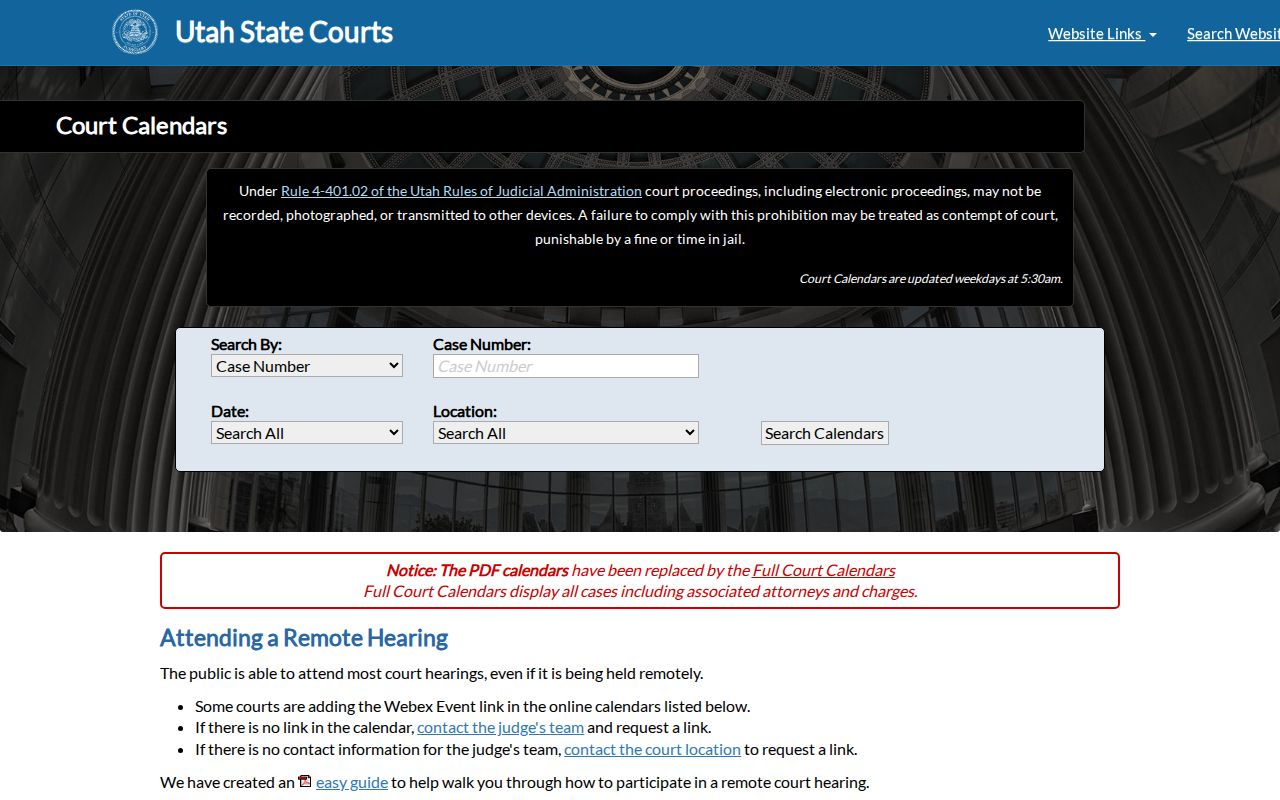
The live Utah Court Calendar carries the current search controls and up-to-date entries. A static picture of it cannot show any single hearing, so treat the working site as the source for actual settings.
Finding a Utah Court Date
Start with the Utah case notice, citation, or court paper that names the venue. The statewide calendar finds scheduled activity by several fields. Xchange, meanwhile, provides public District and Justice Court case history. Those two answer different questions. A party can also turn to MyCourtCase. It offers notifications and filings in an eligible case. Work through these steps when the date matters for a planned appearance.
- Read the Utah notice or citation for the court name, case number, and any listed appearance instructions. Traffic citations commonly identify a local Justice Court.
- Search the Utah Court Calendar by case number, party, judge, attorney, date, or location. Open the full calendar for the court when available.
- Check Utah's Xchange case history for recent entries, and use MyCourtCase only for your own eligible case. Remote Xchange searches are paid; free public terminals are available at most District Court locations and the State Law Library. Justice Court terminal access varies.
- If you need the local court route, browse the county directory and use the official Utah Courts directory for current court contacts. Utah in-person calendar postings and terminal access vary by location.
- When the calendar and case history differ, or a remote link is absent, call the Utah court listed on the notice and ask staff to confirm the date, time, location, and attendance method.
Note: Utah calendar and Xchange cover different records. Use both before contacting the clerk about a scheduled appearance.
A blank calendar result does not settle anything. Check the spelling, the court type, and the location. Then contact the Utah court if the date is recent or the public display clashes with a filed notice. When the trouble lies in the case history or underlying filings rather than the scheduled event, the Utah case lookup covers that statewide search layer.
Utah Calendar and Xchange Roles
The Utah Court Calendar is built around scheduled activity by date and location. Xchange serves a different role. It is a public index and case-history service for eligible District and Justice Court matters. It can show case events and existing settings. The help materials do not promise a complete, current schedule block for every Utah case, though. A case can carry a history entry with no matching calendar event in the view being searched. A calendar item can also need confirmation. Check it against the latest Utah court notice. Treat the two tools as complements.
| Utah Tool | Best Use | Limit to Keep in Mind |
|---|---|---|
| State Court Calendar | Scheduled events by case or location | Calendar view may lag a new or changed setting |
| Xchange case history | Public District and Justice Court case events | Coverage varies by location and case access class |
| MyCourtCase | A party's own eligible case and notifications | Not a public search by another person's name |
Split the work. Use the Utah calendar for an event date, Xchange for public case history, and MyCourtCase for a party's eligible case. For old or changed records, contact the Utah court that holds the official file.
Reading a Utah Court Setting
A Utah calendar item pairs a date with case and venue detail. That is enough to identify the event. The exact display varies by court and calendar type. Expect to see the caption, case number, assigned judge, attorney, charge, and hearing label. A remote instruction may show up too, though it is not standard on every item. Check the case number and court location together. Then match the event against Xchange or a court notice.
| Court and Location | The Utah court and place where the event is scheduled; the displayed detail varies by calendar. |
|---|---|
| Courtroom or Division | A room or division may be listed in the event instructions, but it is not shown uniformly for every Utah court calendar. |
| Date and Time | The scheduled event date and time. Check the current Utah court notice if the calendar is older. |
| Case and Caption | Case number or case/caption information when included. Utah case numbers are not unique statewide. |
| Judge and Attorney | Associated judge and attorney information may appear on a full Utah calendar item. |
| Event or Setting Type | The label for the scheduled activity, such as an arraignment, motion hearing, trial, review, or oral argument. |
| Remote Instructions | A remote link or participation direction may be shown for some Utah hearings, but it is not universal. |
A missing courtroom, link, or event detail does not mean the appearance was canceled. Confirm anything absent with the Utah court location. Keep in mind the event label only describes what is scheduled. It does not supply the full ruling, the case status, or the filed order.
Note: Utah calendar settings may omit remote details. So confirm the attendance method with the court named on the notice.
Confirm a Utah Court Reset
An old date can linger after a continuance. Don't read that as an active setting or a closed case. In Utah, a reset generally means one scheduled event moved. A new date took its place. The new notice may lag the calendar refresh. So work the chronology from the top. Find the latest filed notice or order and compare its date with the statewide calendar. When entries disagree, call the Utah court. Ask whether the prior setting was vacated. Ask which date now controls, and whether attendance is in person or remote. MyCourtCase can track eligible case notices for a party. Yet it cannot replace direct confirmation right after a change.
Utah Resets and Continuances
Utah calendars carry labels like arraignment, pretrial conference, motion hearing, trial, sentencing, and review. No statewide glossary exists. Terms such as "docket call," "pass," or "announcement docket" may be purely local. Read the current notice, or ask the court what a label means there. A Utah continuance or reset moves the scheduled date; it does not dismiss the underlying case. The old setting may linger until refresh. Case history may not show every matter's schedule. Cancellation, reset, and disposition differ. Look for the new date and order. If the record stays unclear, ask the Utah court directly.
Utah Calendar Refresh and Its Limits
The Utah Court Calendar refreshes each weekday around 5:30 a.m. That pattern is published, not a promise. Utah court staff enter and maintain the case data themselves. A recent filing can still need a direct call. A late reset or a local schedule change can too. Older records can be harder to verify online. Utah Xchange coverage dates vary by location. Some Justice Court cases may be missing. That happens if they predate local CORIS use or were never converted. A blank result means no listed event, not no case. Check the spelling, the case number, the location, and the court type. Then ask the clerk to search the local file.
Missing a Utah Court Date
Missed a Utah hearing? Contact the court that set it right away. Ask what the case history and latest order show. What happens next depends on the case type, the court's order, and whether the setting required an appearance. A calendar page cannot list every consequence or reopen the date. Never assume dismissal or a warrant without the record. Traffic cases have one special path. Where appearance was not required, Utah Rule of Judicial Administration 4-701 sets out a specific nonappearance and nonpayment path. It does not cover every missed court date. Ask the local Justice Court whether a notice, added fine, or failure-to-appear entry was recorded, then follow its instructions. For other case types, the clerk can point to the filed order. That clerk can also explain how to ask the judge or court for relief.
If You Missed a Setting:
Call the Utah court shown on the notice and ask whether the date was reset, whether an order was entered, and what action is required next.
Rule 4-701 applies only to citations where an appearance is not required: after 14 days, the court may add $50 and mail notice; after 40 days, it may add $75 and issue an FTA warrant.
An FTA or unpaid traffic balance is not automatically a Utah driver's-license hold. Utah law limits suspension based only on those events, subject to a narrow statutory exception. Confirm any actual court and Driver License Division status with each agency.
Utah's Full Court Calendars Replaced PDF Calendars
Utah traded downloadable PDF calendars for Full Court Calendars. The new system is a searchable, location-based portal. It helps people compare settings across District, Justice, specialty, and appellate calendars. It is not a complete case-file system, though. Utah court staff still maintain the records, and a party's own notifications live separately in MyCourtCase. Some listings include remote-hearing instructions. If none appears, Utah Courts says to contact the court or the judge's team. The calendar also warns that recording, photographing, or transmitting a proceeding without authorization may violate Rule 4-401.02 and invite contempt or sanctions. Check notices for closures or location changes before traveling. An appellate oral-argument listing is a court date. It is not a trial-court hearing or a substitute for the appellate docket.