
Running a Utah Statewide Case Search
The public index run by Utah Courts is called Xchange: Public Case Search. It covers public District and Justice Court information, traffic cases included. Court staff must enter eligible data first. Keep one limit in mind: the index is not the court's official file. Juvenile and appellate matters move through separate channels. Restricted cases stay out of statewide results entirely.
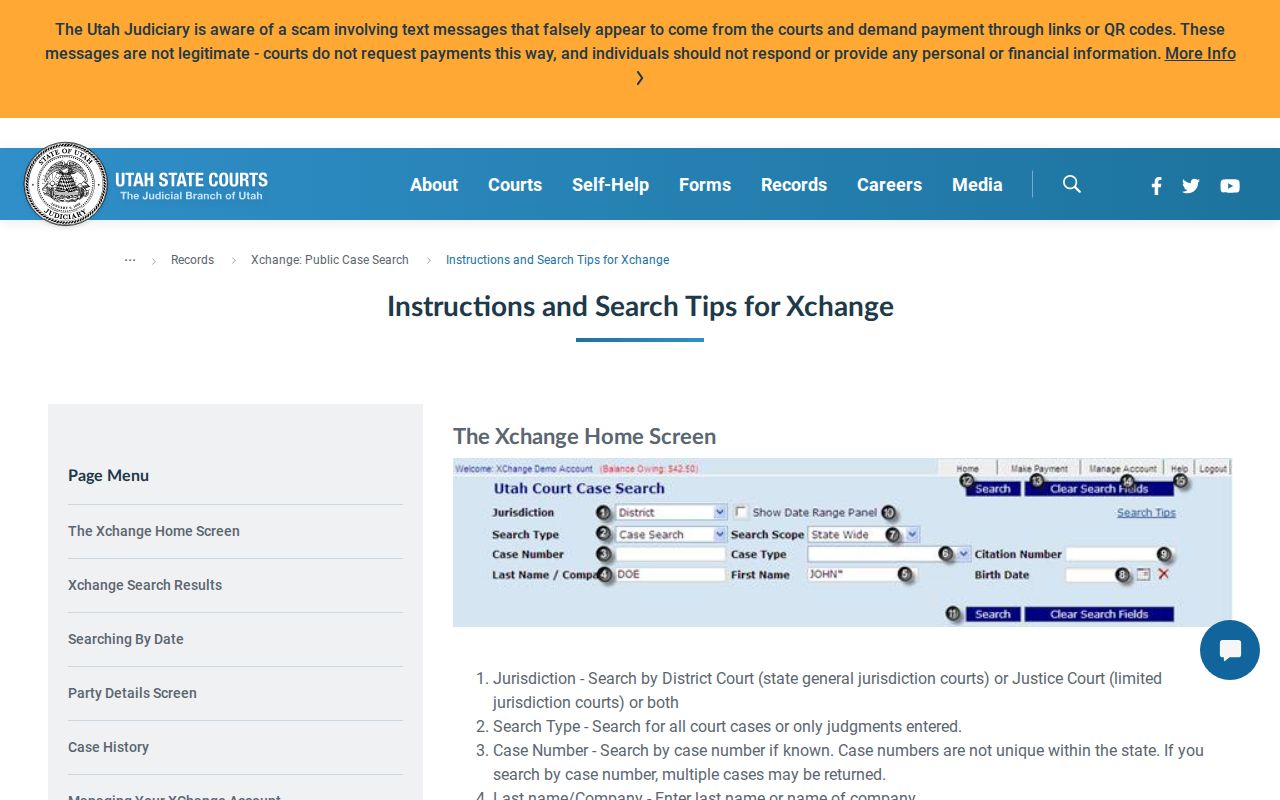
Type a last name or a company name. Then add a first name or whatever Utah court details you know. Utah Courts suggests an asterisk wildcard to catch name variations. Before opening a likely match, confirm the court location and the filing date.
- Open Xchange and choose District Court, Justice Court, or both.
- Enter the party name or case number. A company name goes in the Last name/Company field.
- Set statewide, county, or court scope, and add a case type or date range if known.
- Compare Utah court location, case type, filing date, and parties.
- Contact the Utah court clerk for the official file or a certified copy.
The Utah Xchange search page is where the public index begins. A result lists its own document links when they exist, since a case history does not put every paper online.
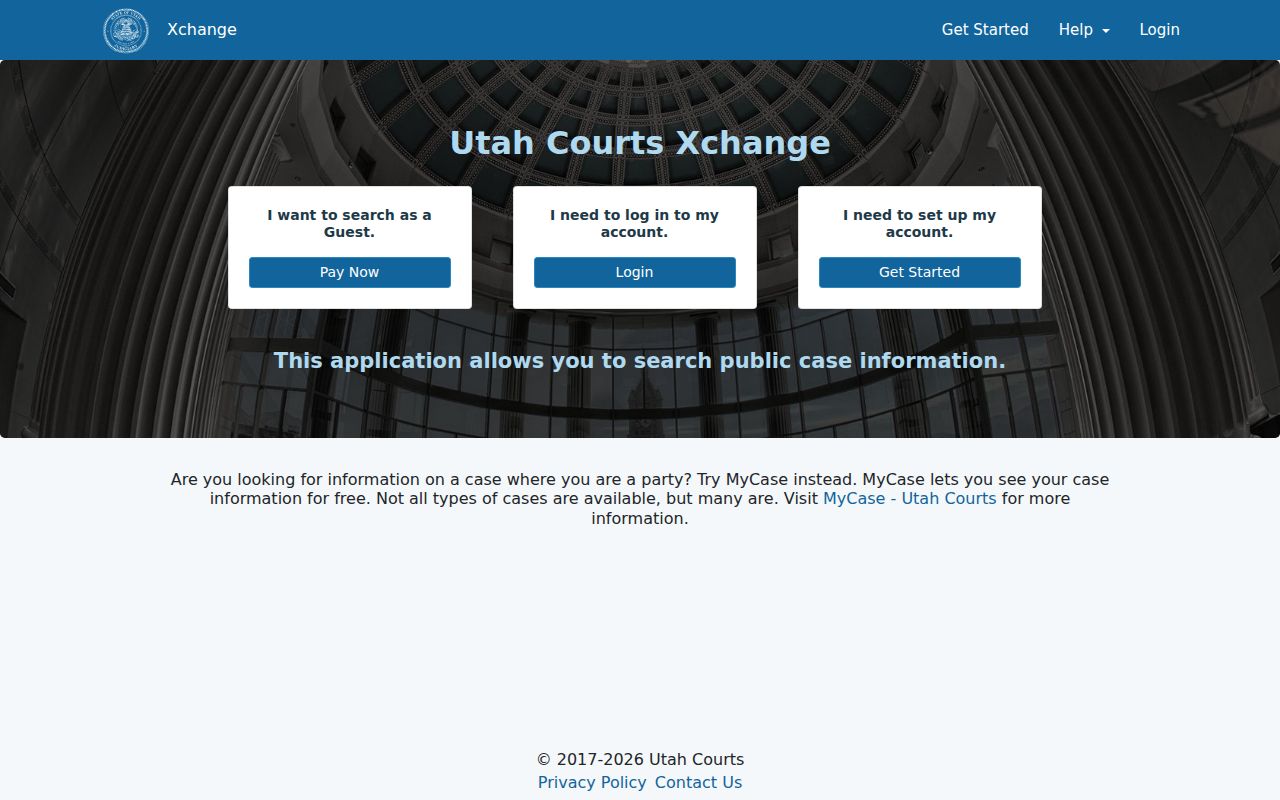
Utah keeps its public search screen apart from attorney e-filing and the court's official docket file.
| Search field | Type | Required? | Utah-specific use |
|---|---|---|---|
| Jurisdiction | Dropdown | Unspecified | Utah District, Justice, or both |
| Search Type | Dropdown | Unspecified | All Utah cases or judgments entered |
| Case Number | Text | Unspecified | Can repeat across Utah courts; add court/location |
| Last name/Company | Text | Unspecified | Person’s last name or company; wildcard * broadens |
| First Name | Text | Unspecified | Wildcard * can include variations or middle initial |
| Case Type | Dropdown | Unspecified | Use official Utah case-type codes |
| Search Scope | Dropdown | Unspecified | Utah statewide, county, or court |
| Birth Date | Text/date input | Unspecified | Format not stated in help |
| Citation Number | Text | Unspecified | Not statewide-unique |
| Citation Location | Location control | Unspecified | Known Utah issuing location narrows results |
| Show Date Range Panel | Toggle/checkbox | Unspecified | Opens date controls |
| Case Filings | Date range | Unspecified | Filing dates |
| Case Disposition | Date range | Unspecified | Disposition dates |
| Judgment | Date range | Unspecified | Judgment entry dates |
| Judgment Disposition | Date range | Unspecified | Satisfaction or disposition dates |
Utah Courts' help pages never spell out which fields are required. Hit Search and the system runs a billable query that can return as many as 500 results.
Paid Utah Xchange Access
Remote access to Utah Xchange runs on paid guest transactions or subscriptions. Under Utah Code of Judicial Administration Rule 4-202.08, a $10 guest transaction covers up to 10 searches. Each electronic document you open adds $1. Where the rule and older price text on the subscription page disagree, the rule wins.
Free Xchange terminals sit in most District courthouses across Utah. The Utah State Law Library has them too. Some Justice Courts have them as well. Call ahead before you go. A terminal opens the same index you would get at home. It is not a certified copy or fuller file.
| Access route | What it provides | Cost or limit |
|---|---|---|
| Remote guest | Public District and Justice searches | $10 for up to 10 searches |
| Document link | Available electronic filing | $1 per document |
| Public terminal | Xchange access at a courthouse or library | Free at most District sites and the State Law Library; Justice access varies |
A document or an older court file may not be online. Ask the Utah clerk. You can view it in person or send a written request.
Xchange fees and document charges track the current court rule. Free terminals, in contrast, give index access only. They never produce a certified record.
Utah Case Number Searches
The first two digits of a Utah case number tell you the filing year. So a leading 25 marks that year piece alone, not a full case-number pattern. Utah Courts publishes no single format that fits every case type. Expect some variation when you read a docket entry.
Xchange adds case-type codes to the mix. TC stands for a Utah Traffic Court Case, while TN marks a traffic citation. The Utah Courts case-type glossary lists the rest. One caution for any docket search. These numbers are not unique across the state. Pair the case or citation number with the court, the location, and the case type. That pins down the right record.
Utah Case Numbers Need Location
The most common Utah docket search mistake? Treating a case or citation number as unique statewide. Utah Courts says numbers can repeat across courts. A citation search depends on where the ticket was issued. Add the court or the location to your lookup. Then compare party names and dates to confirm the match.
You can scope a search statewide, by county, or by a single court. An older Justice Court case that turns up empty may sit before that court's CORIS start date, or it may never have been converted at all. The Xchange coverage dates spell out what each court type holds. Check those dates and the court type before assuming no record exists.
Note: A Utah case number or citation number alone cannot uniquely identify a record across all participating courts.
What a Utah Case Search Returns
What lands on screen after a Utah case lookup? The result can show the court and location. It also lists the case type and number, filing date, parties, case history, and any available documents. Case history may run deep. It covers charges, pleas, dispositions, the assigned judge, attorneys, proceedings, and an account summary. These field descriptions come from Utah Courts' published help material, not from any single case.
| Court and location | Identifies the court holding the case. |
|---|---|
| Case type and number | Category and assigned identifier; number may repeat. |
| Filing date | Date the court opened the case. |
| Parties and roles | Names and party codes; some details may be private. |
| Case history | Chronological proceedings and events. |
| Documents and account | Available links and, in some cases, payments or balances. |
Party details in a Utah search may include a birth date or an entered address. Share personal details only when you need them to tell two matches apart. A single search can return up to 500 records, so narrow things down by case type, date, or location.
Utah Case History vs Official File
Xchange gives you two views of a Utah case. Click the case number and you land in “Extended Case History,” which adds minute-entry detail to the summary you first see under “Case History/Documents.” The summary prints as a PDF. That PDF is handy for following a docket, yet it is not a certified copy of the court record.
Documents tell a similar story. Utah Courts describes District Court filings since July 1, 2010 as available in Xchange, though its help materials note a limited rollout by document and case type. When a “Purchase” link appears, use it. If a Utah filing is missing, an old paper record needs review, or you need a correction or certified copy, the clerk holds the official case file.
- Case History
- Summary view of public case events and links.
- Extended Case History
- More event detail opened from the case number.
- Certified copy
- Clerk-authenticated official record.
The Xchange search help describes the result layout and shows interface examples.
The judiciary’s example shows the shape of a case history, nothing more. A real Utah docket may carry fewer fields. It may list different events, or lack any document link.
A case-history printout helps you track public events. It cannot replace the filed order or the clerk-certified copy of the court record.
Utah Statewide vs County Search
Utah Xchange serves as the statewide index for covered District and Justice Court cases across the state. Utah Courts treats it as the standard search. It points users to no county-built alternative. Remember where the record truly lives, though. The individual Utah court holding a case keeps the official docket and the filings. It also keeps any corrections and certified copies.
| Need | Xchange statewide index | Court-held record |
|---|---|---|
| Find a case | Public District/Justice index, within coverage | Clerk can check local and older records |
| Follow activity | Public case history entered in Xchange | Official docket and minutes |
| Read filings | Selected electronic links | Clerk handles unavailable papers |
| Get certification | Printout is not certified | Official clerk issues certified copies |
Begin with the Utah county directory, then turn to the Utah Courts location directory to pin down the right court and clerk. Which clerk holds a file depends on court level, not on a single county-wide office.
Find Another Utah Case Channel
Utah offers more than one way to follow a case. MyCourtCase is a free tool for a party's own eligible District or Justice case. It can display filings, history, some payments, and notices. It is not a public name search. The statewide Utah calendar lists scheduled events, and appeals run through a separate public search. An appeal can open a second docket. So track the originating case and the appellate case together. The Utah appellate public docket search is the official page. It opens that separate case record.
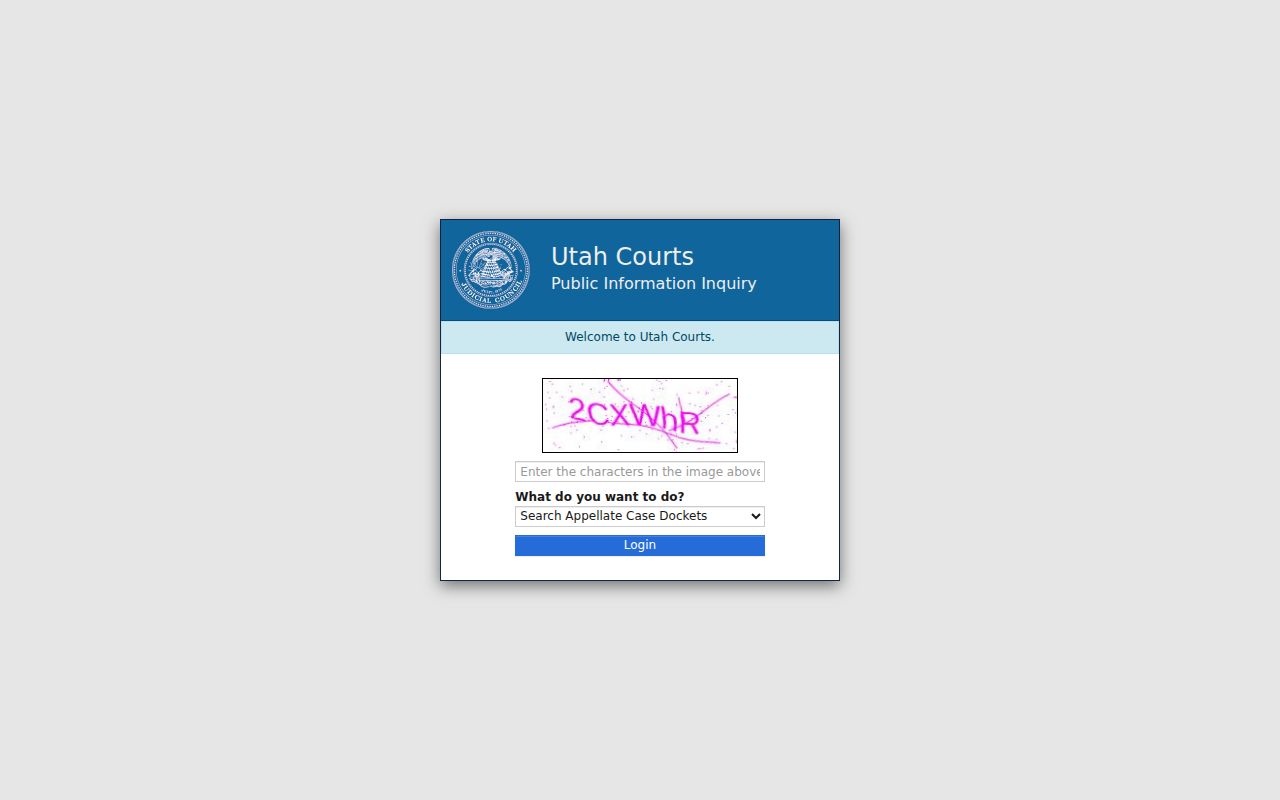
That appellate search follows only the review proceeding. The trial court where the case began keeps its own file. Need to inspect a Utah court record or get a copy? Call or visit the clerk who holds it. Or send the statewide Request for Record form. The Utah Court Directory lists each local contact.
A written request generally draws a response within 10 business days. That drops to five if the request qualifies as expedited. That is a response window, not a completion guarantee. Mail, email, and fax options depend on each court's instructions. The form names no universal destination. If the clerk denies a written request, the denial may be appealed. The deadline is 30 days under Rule 4-202.07. Federal cases sit in PACER, outside the Utah state index.
A party-facing account, the public calendar, an appellate docket, and a local case file each answer a different question. Each is its own record question, in fact.
Restricted Cases in Utah
Not every Utah case appears in Xchange. Juvenile, adoption, and civil mental-health commitment matters are generally excluded from the statewide docket search. Expunged or sealed cases may be absent entirely. Private details or documents can stay hidden even when other case events show. Utah courts govern access through Utah Code of Judicial Administration Rule 4-202.02. They also rely on the broader Government Records Access and Management Act.
Utah family cases illustrate the split well. A case history or order may be public while specific pleadings stay private. Seeing a search result, seeing an event, and downloading a filing are three different things. Each raises a separate access question. A request for protected material must state the legal basis. A clerk cannot simply reclassify a record on request. Before assuming a case is sealed, confirm the right court and check the coverage dates.
When Utah Xchange Finds No Result
An empty Utah docket search does not prove the case is gone. First check spelling, name variations, the case number, court type, and location. Older Justice Court records may predate CORIS. Some were never converted, and District Court coverage varies too. A restricted category can also explain a miss. So can a recent event not yet entered in the index. Utah appellate and federal cases live in other systems.
When the case still will not surface, call or visit the record-holding Utah clerk. Use a free terminal where offered. Or send a written record request for an older or omitted file. The Utah Courts coverage chart is the official page. It shows location-specific search dates.
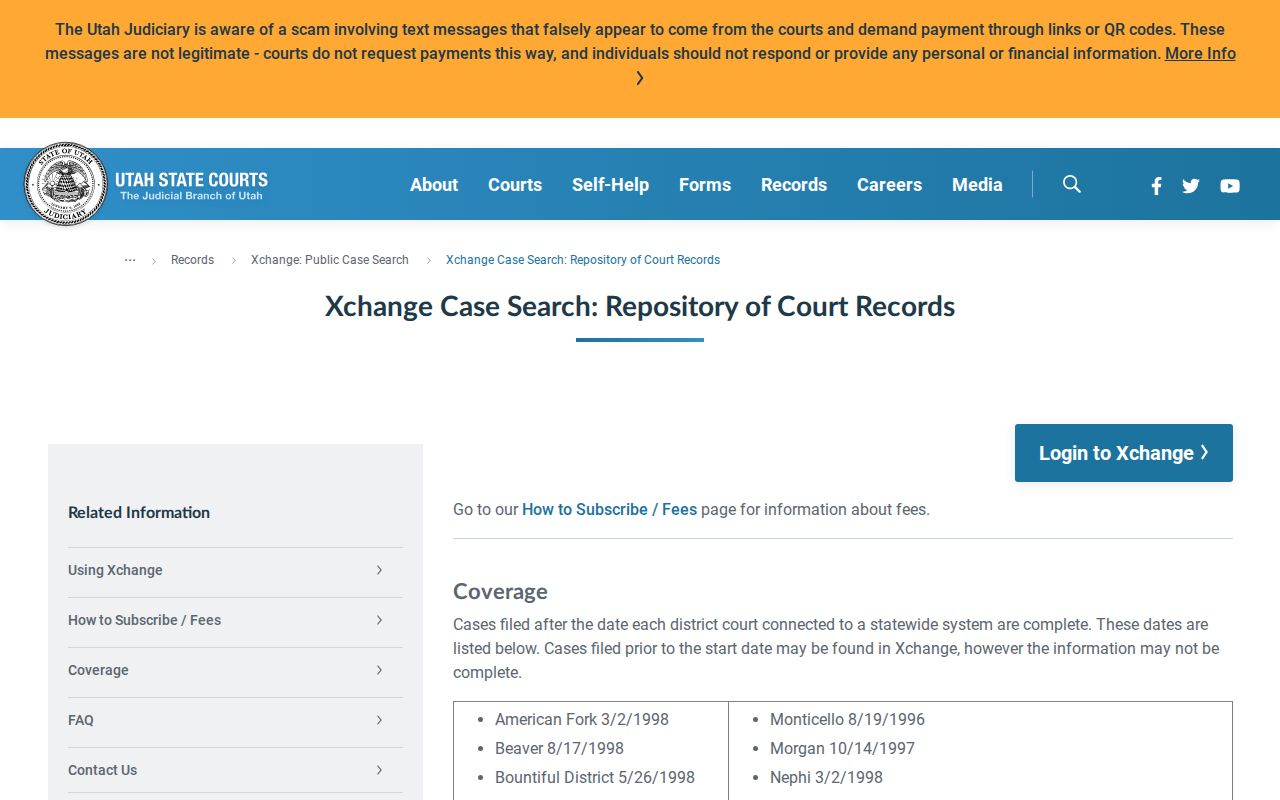
The chart explains why a coverage gap calls for a local clerk search rather than another broad name query.
Note: A missing Xchange result can reflect a coverage date, a restricted category, or simply the court selected for the search.